
How to add a Google for Education administrator
Step 1: Go to Google and search for your company’s name.
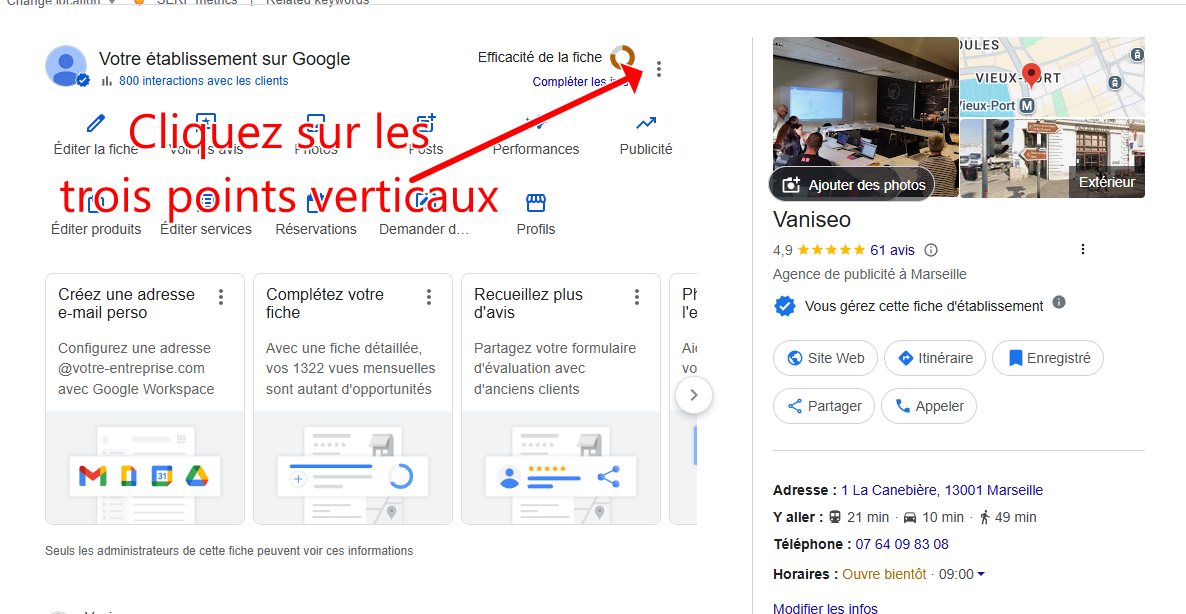
Step 2: Click on the three vertical dots at the top right of the management menu.
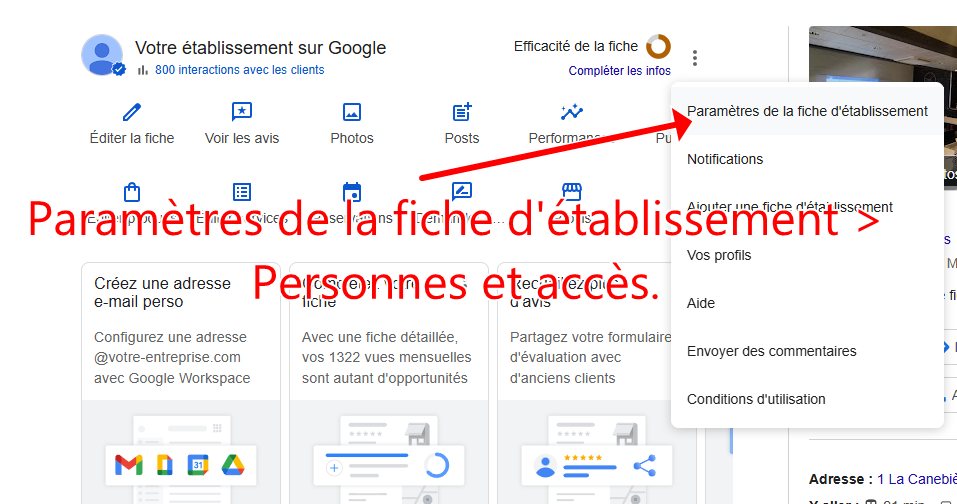
Step 3: Choose School profile settings > People and access.
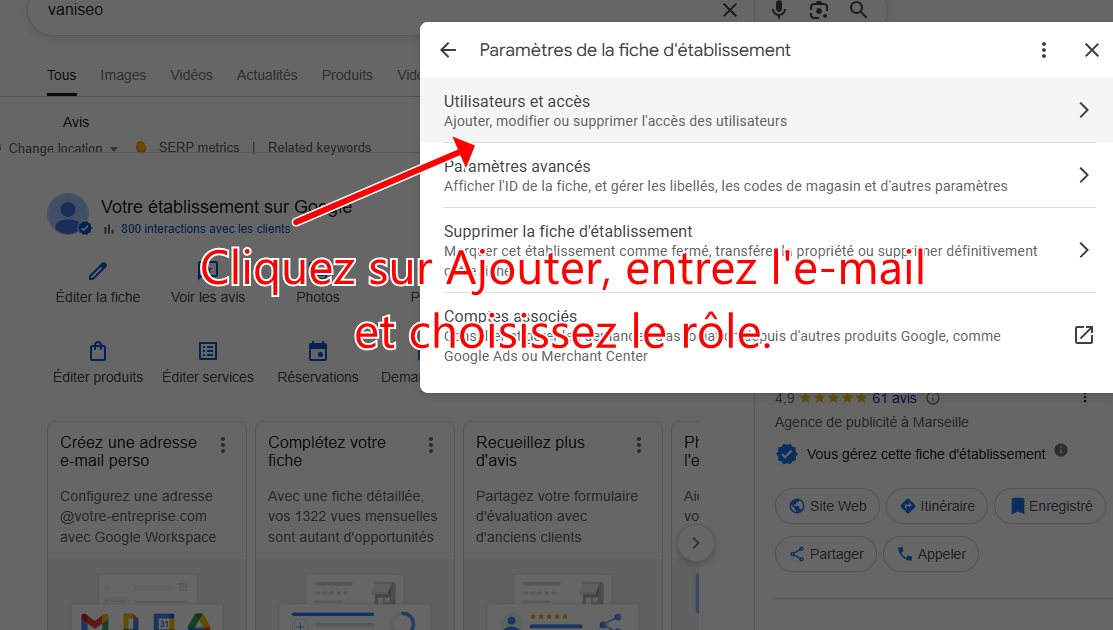
Step 4: Click on Add, enter the email address and select the role.
Summary of roles
| Role | Powers |
| Owner | Full control + Access management |
| Director | News update + Responses to comments |
Need some direction for your marketing?
A part-time marketing director sets the strategy, manages the budget and coordinates your activities.
 French
 Spanish
 English