
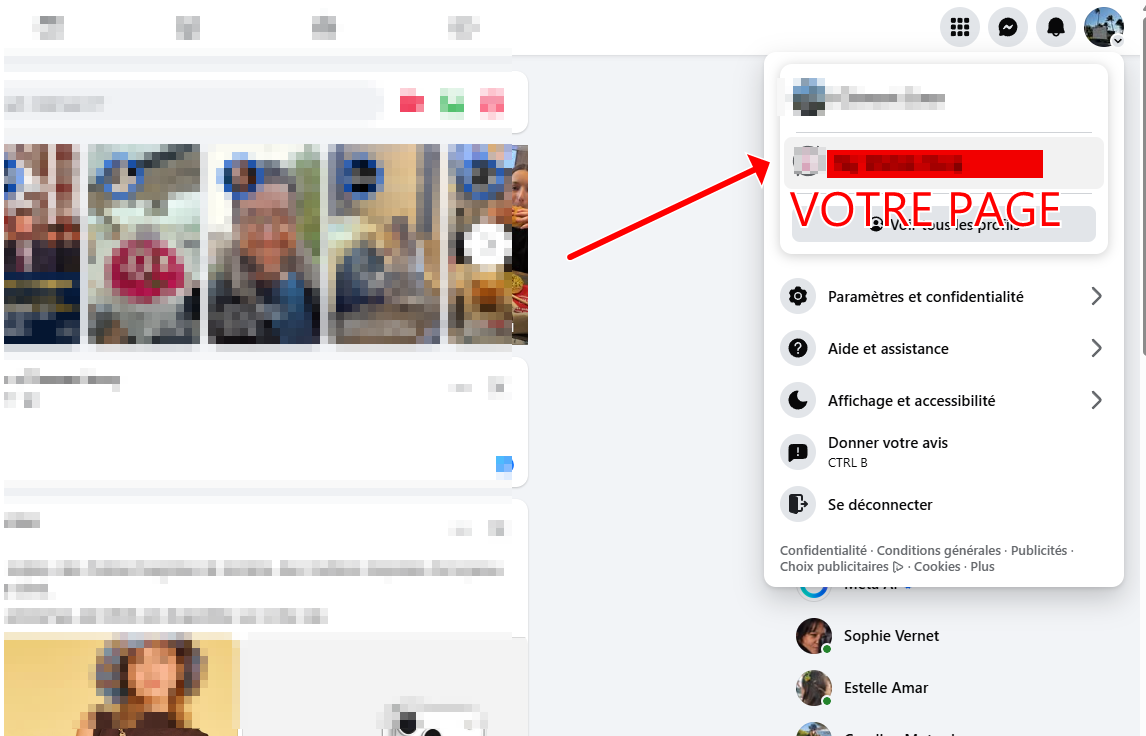
1. Switch to your Facebook page : Click on your profile picture in the top right-hand corner and select your Page.
2. Profile verification : Once you’ve switched over, check that you can see your logo and the name of your page appear in the top right-hand corner and in your menus.
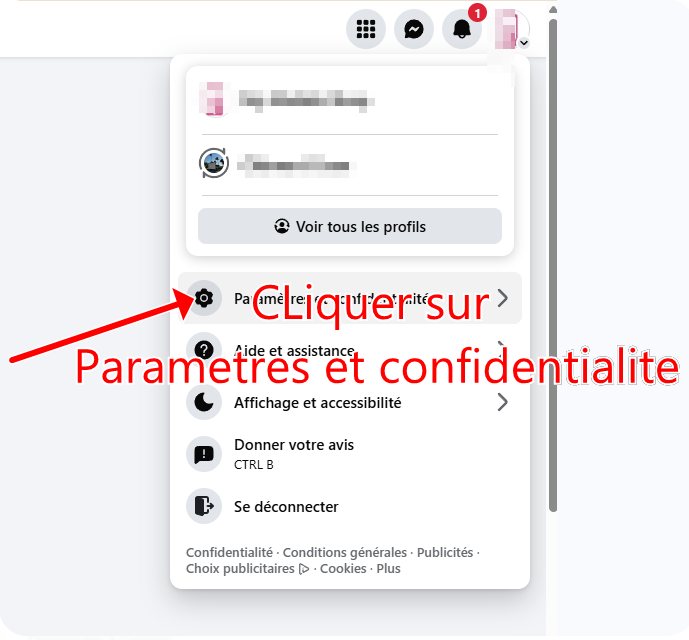
3. Click on your profile picture (the page logo), then go to: Settings and privacy > Settings
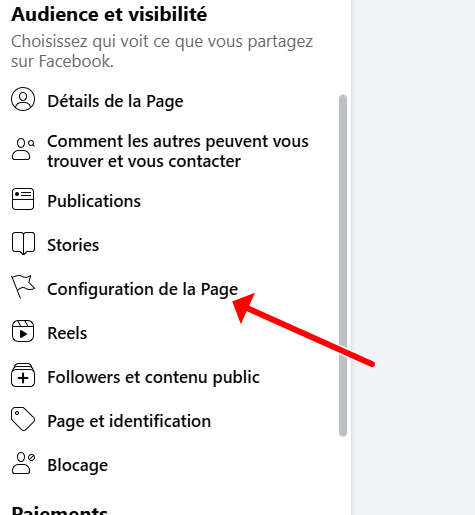
4. In the left-hand menu (under ‘Audience and visibility’), click on:
Page Configuration
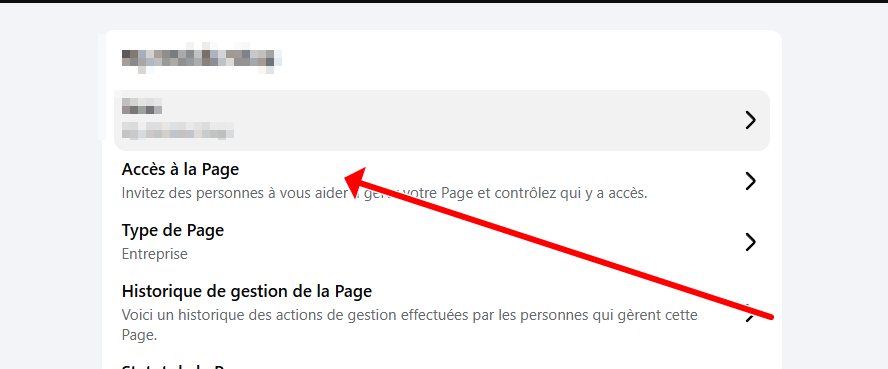
5. Then click on the option:
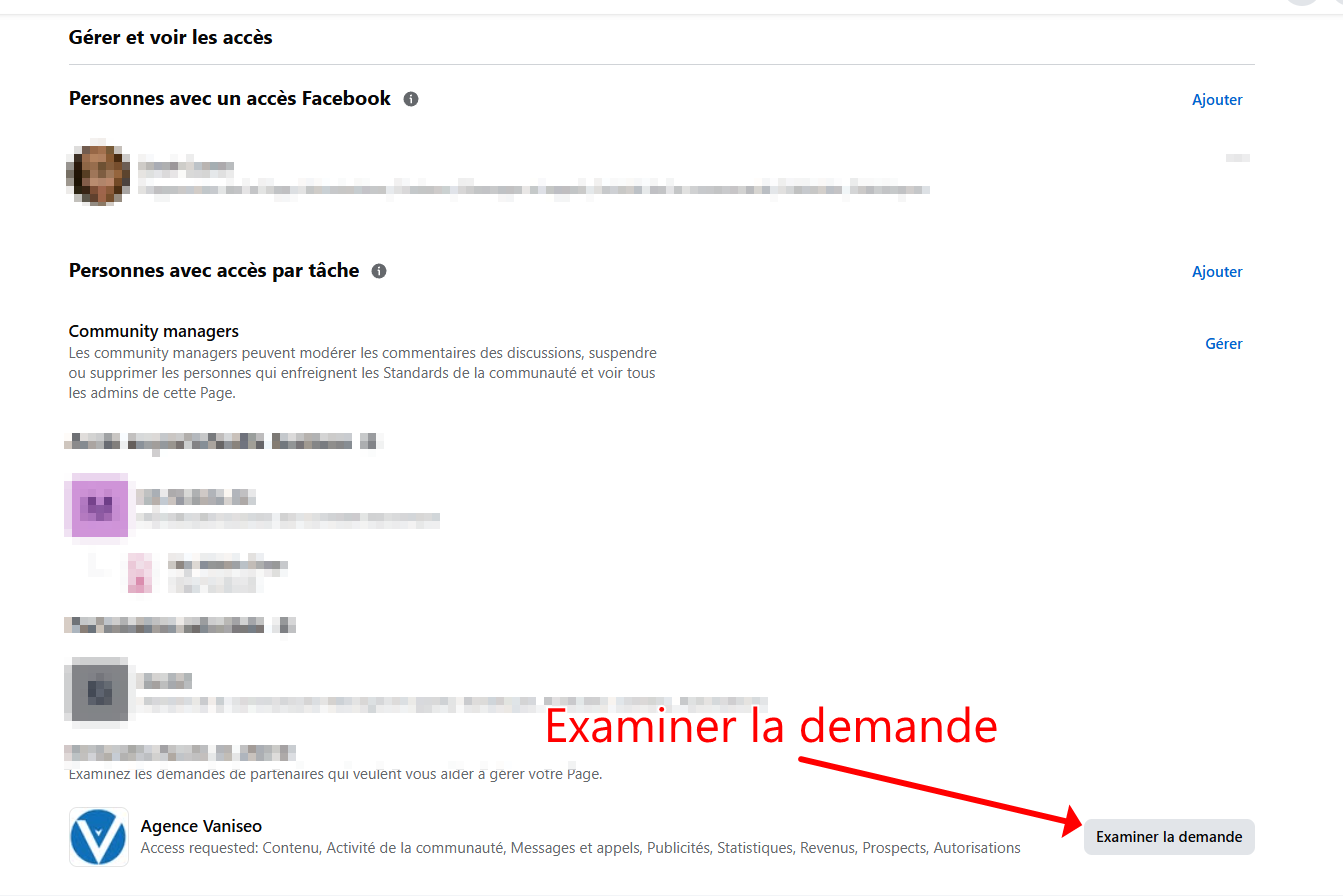
Access to the Page (Invite people to help you manage your Page).
6. Scroll down until you see the partner’s request and click on the grey button:
Consider the application
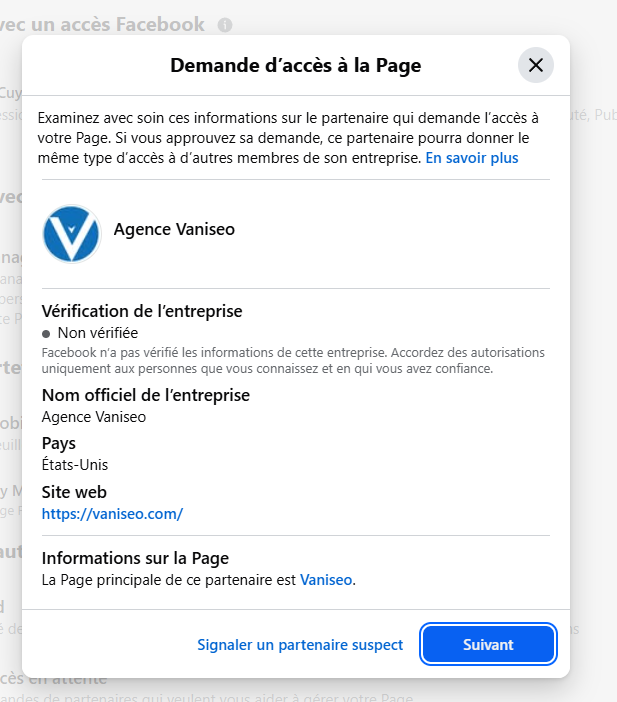
7. Click on Next.
⚠️ Please note: Make sure you check that the partner’s name is correct (e.g. Agence Vaniseo) before continuing.
8. Click on Accept to finalise the access sharing. Facebook may ask you for your password to confirm this.
Need some direction for your marketing?
A part-time marketing director sets the strategy, manages the budget and coordinates your activities.
 French
 Spanish
 English