
In this episode, the AdWords agency in Marseille Vaniseo will show you how to create a Tag Manager tag to improve your website’s bounce rate.
Create an event-type tag
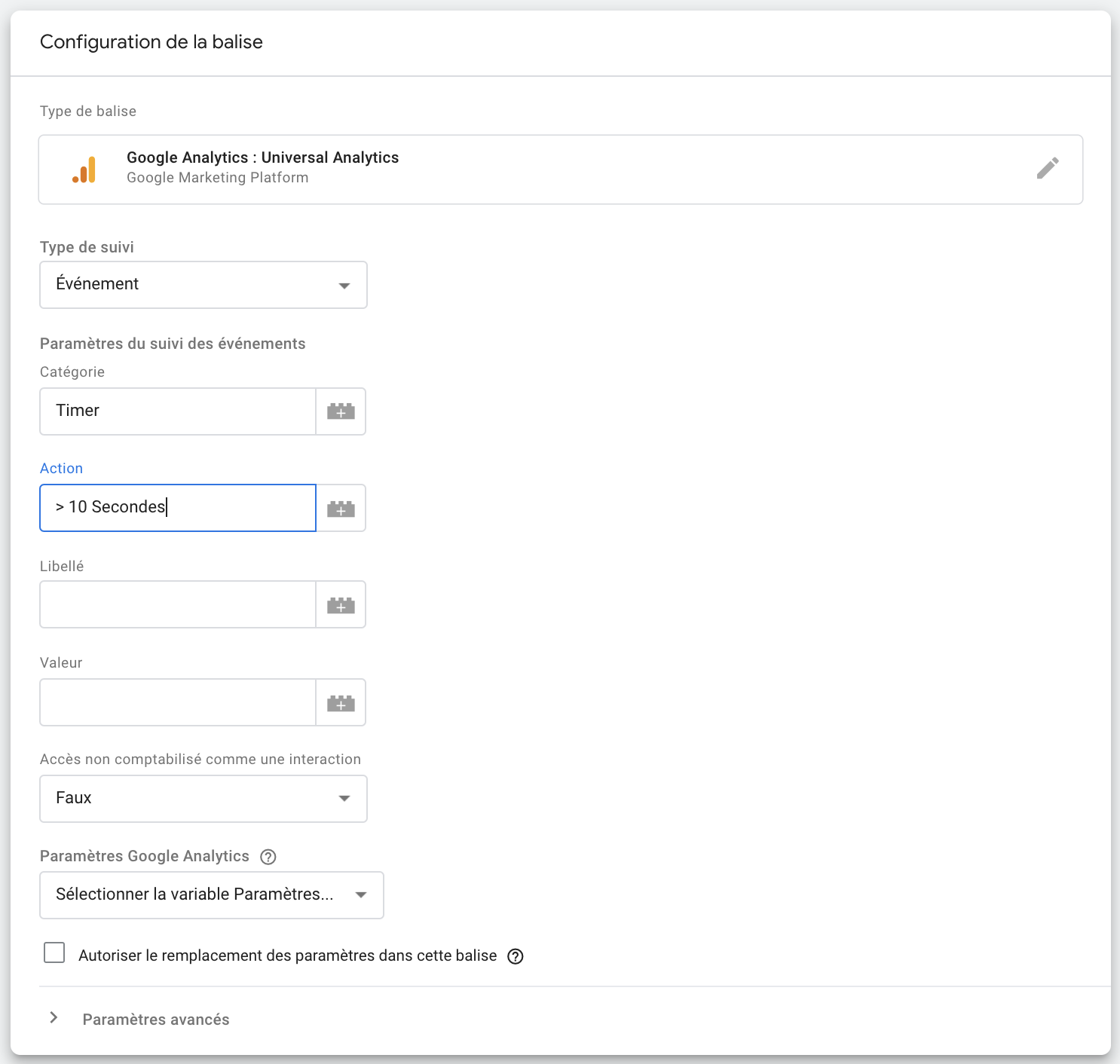
First of all, you need to create a «Universal Analytics» event tag. It will only fire this event once per page. To do this:
- Go to «Tags» in GTM. Create a tag called «Google Analytics: Universal Analytics». Select «Event». Go to the event tracking settings. Under «Category», select «timer » Select ‘> 10 seconds’ as the action Check that the event is recorded as an interaction (the selector must be set to ‘false’) Select the Google Analytics parameter (it must be the same as the one in your page tracking tag)
Create the trigger
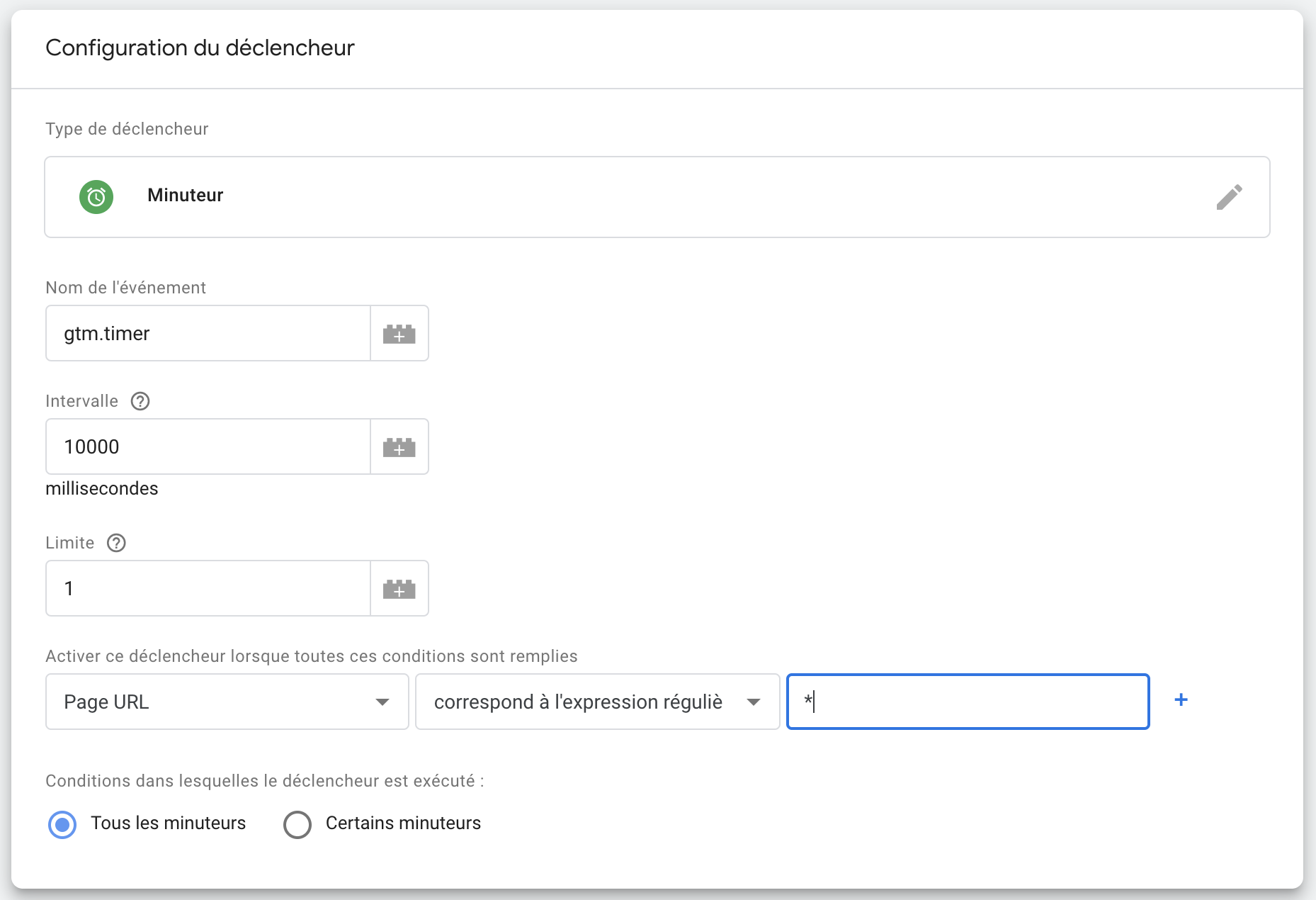
To determine when your tag will be activated, you need to create a trigger. To do this:
- Create a timer Add a trigger (tap the second part of the tag configuration) Create a trigger (timer) Set the timer to 10,000 milliseconds and limit it to 1 trigger Activate the timer on all pages of your site Save the trigger (give it a name)
Deploy and test the beacon
Once you have created your tag and trigger, you will need to redeploy your container. To do this:
- Tap «Send». Enter a name and a description
Once you have completed these two steps, your container should be redeployed. To be sure, you should preview the tags and check that the timer triggers the tag after a visitor has spent 10 seconds on one of your website’s pages.
To enable Preview:
- Go to the dashboard. Click «Preview». Go back to your website and refresh the page. Wait 10 seconds and the tag should appear at the top of the banner.
Ensure that data is being reported correctly in Google Analytics:
- Go to «Real-time» then «Event». In the events table, a row should appear with the name «Category not defined early». If not, check the Google Analytics settings.
As time goes on, your bounce rate should improve!
Created by Vaniseo, your web agency in Marseille
Contact us
Our team will get back to you within 24 hours
Fancy finding out how much each channel brings in?
Google Analytics 4, conversions, dashboards: we make your figures easy to understand.
 French
 Spanish
 English